Notice generation empowers business users to generate multiple notices from a pre-defined document template. Users have the tools to organize, track, and customize their Dispatches while efficiently generating and sending digital notices with specific contents and targets.
How to generate Notices?
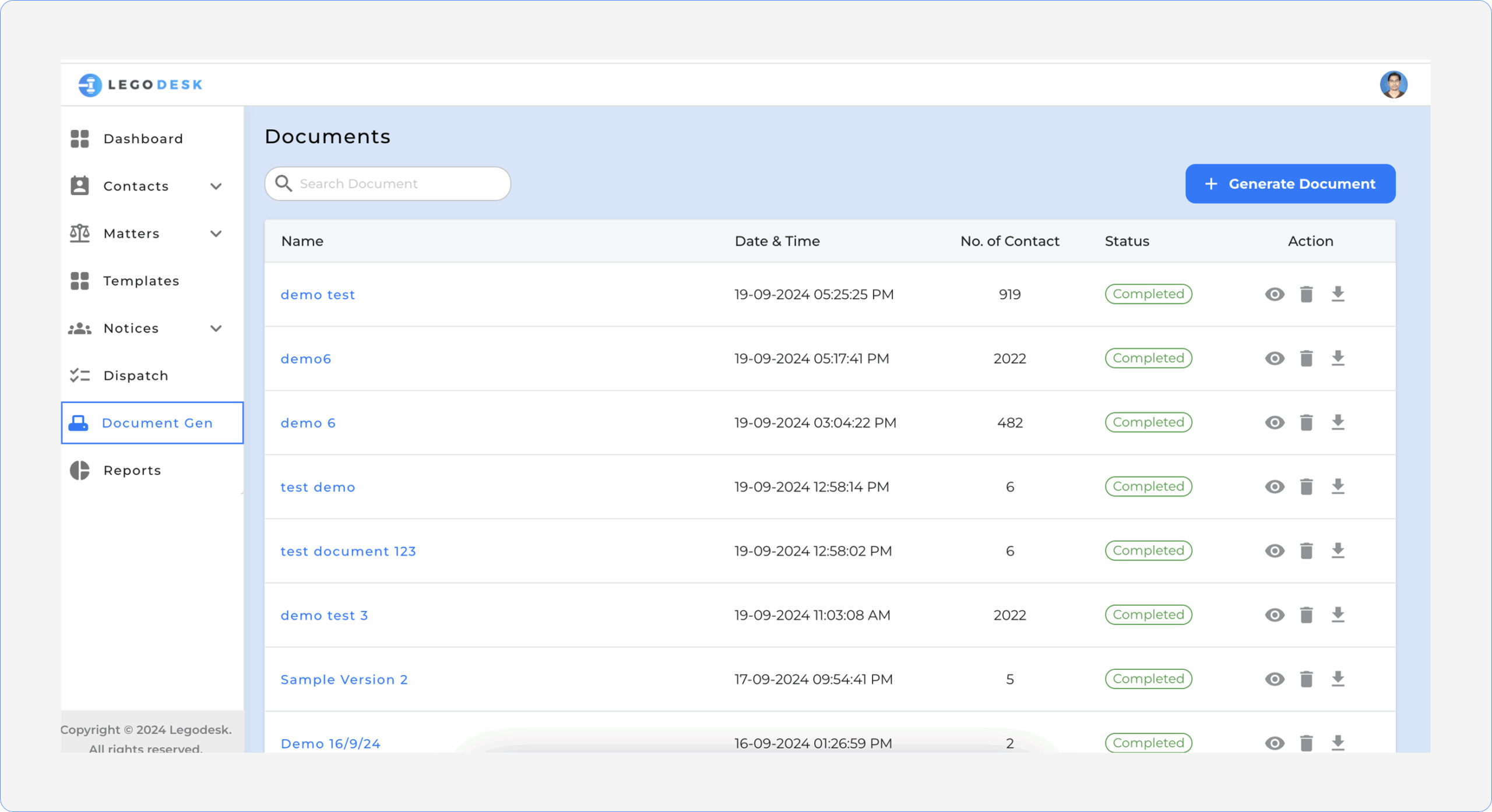
1. Accessing the Document Generation Menu
You can directly download, preview or delete any of the available templates listed.
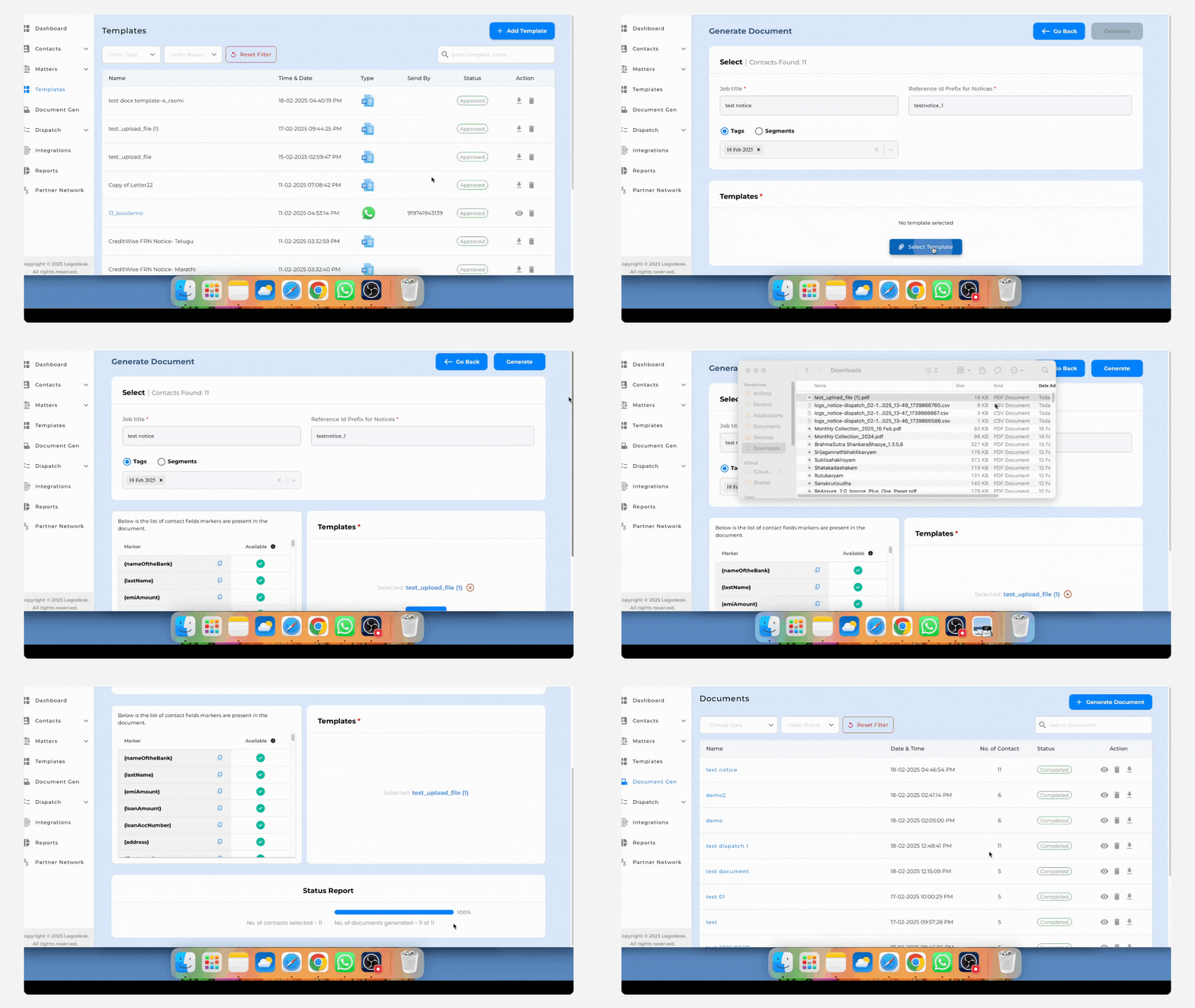
2.Generating New Document
Click on Generate Document to create a new document. Complete all required fields, select relevant tags or segments, and choose the desired template to proceed with document generation.
3.Document Generation and Status Tracking
Once the document generation request has been submitted, users can view the generation status report.
Select the contacts or borrowers to whom the notices will be sent.
Choose the appropriate notice template. The system will then automatically generate all notices accordingly.
4.Dispatching Generated Notices
Both digital and physical copies of the generated notices can be dispatched to the respective borrowers as per operational requirements.
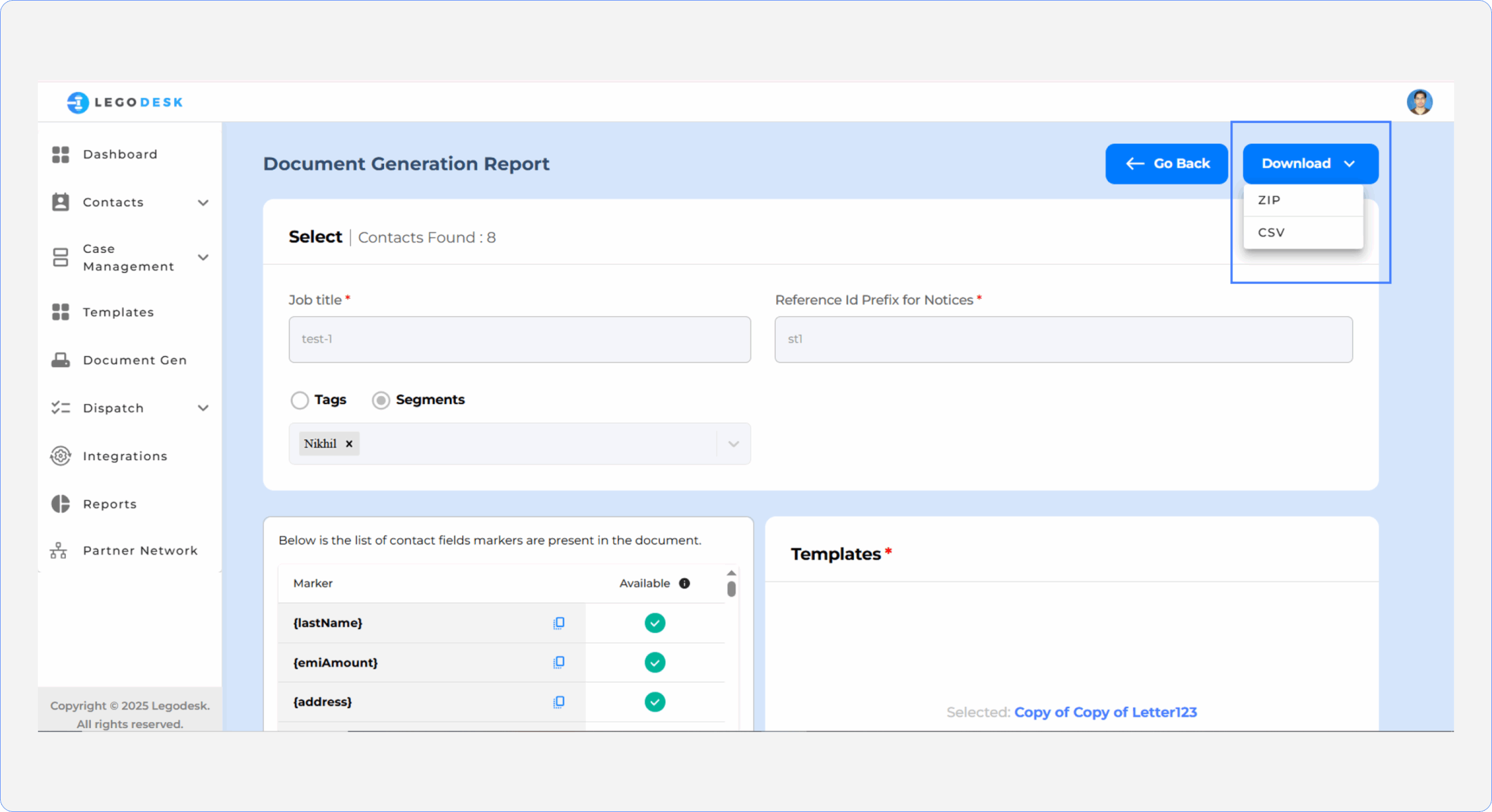
5.Downloading Generated Documents
Users can download:
A ZIP folder containing all successfully generated notices
A CSV file containing the short URLs of the documents for further tracking or integration
Legodesk is not a law firm and does not provide legal advice. The use of any materials or services or software is not a substitute for legal advice. Only a legal practitioner can provide legal advice and a legal practitioner should be consulted for any legal advice or matter. We neither endorse, nor solicit the work of any Lawyers, Law Firms, and Legal Professionals.