Introduction
How to Generate legal Document in Legodesk Application?
Introduction:
Create customized notices instantly using pre-built templates and mapped contact data. With Legodesk’s automated Document Generation, you can preview and generate bulk legal notices in just a few clicks, saving time and reducing manual workload.
This phase covers the process of creating notices using templates and mapped contact data.
Steps
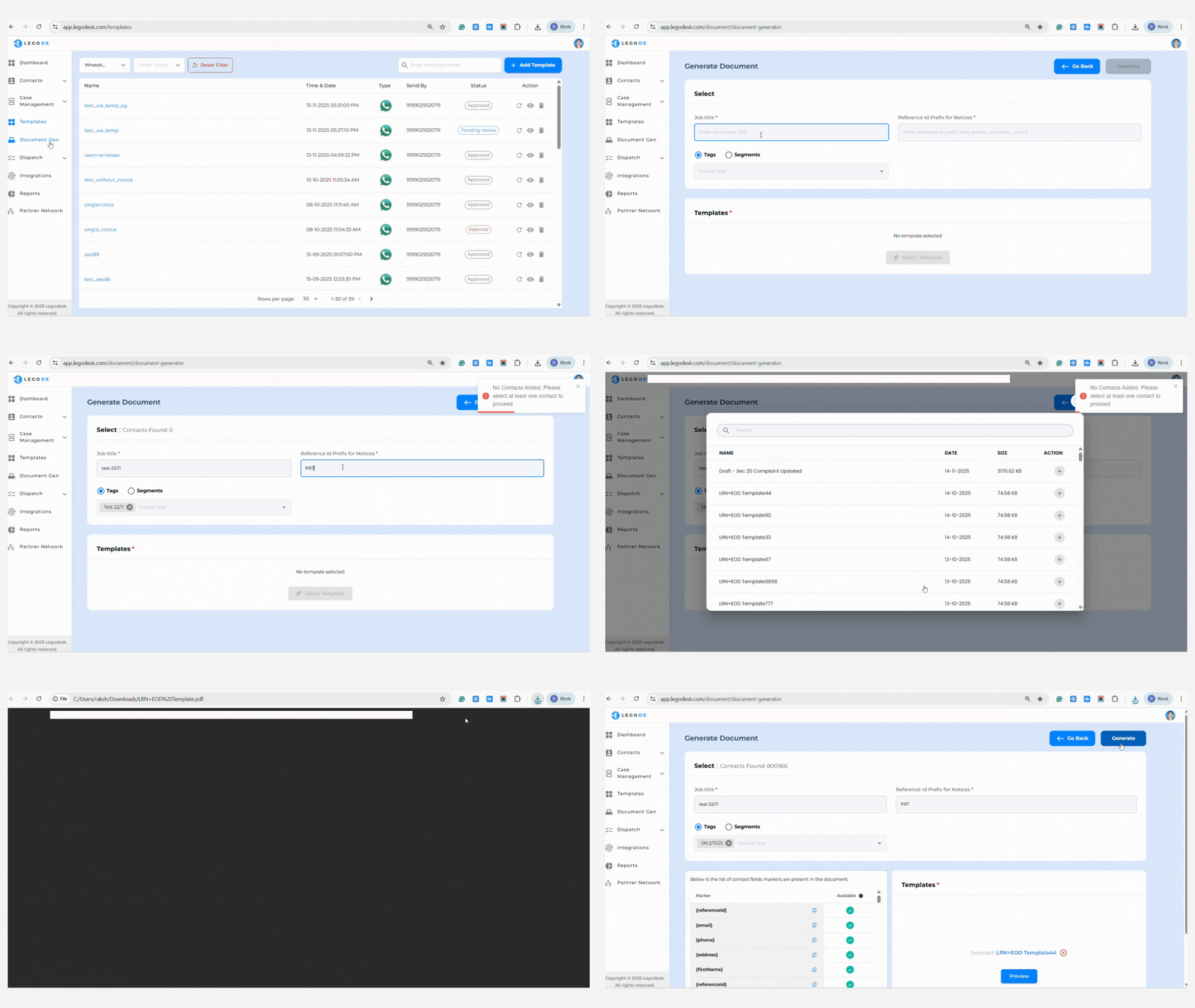
- Open the Templates section of the application.
- Choose ‘Add Template,’ selecting from WhatsApp, SMS, Email, or Docx.
- For legal document templates, select Docx and upload accordingly.
- Save the customized template.
- Go to Document Gen, then ‘Generate Document.’
- Enter the Job Title with the Tag created in Phase 1.
- Select the corresponding Tag.
- Pick the desired template and preview the notice.
- If all documents are in order, generate the notice.
Legodesk’s automation allows rapid notice generation at scale, reducing administrative burden.